
The page tree
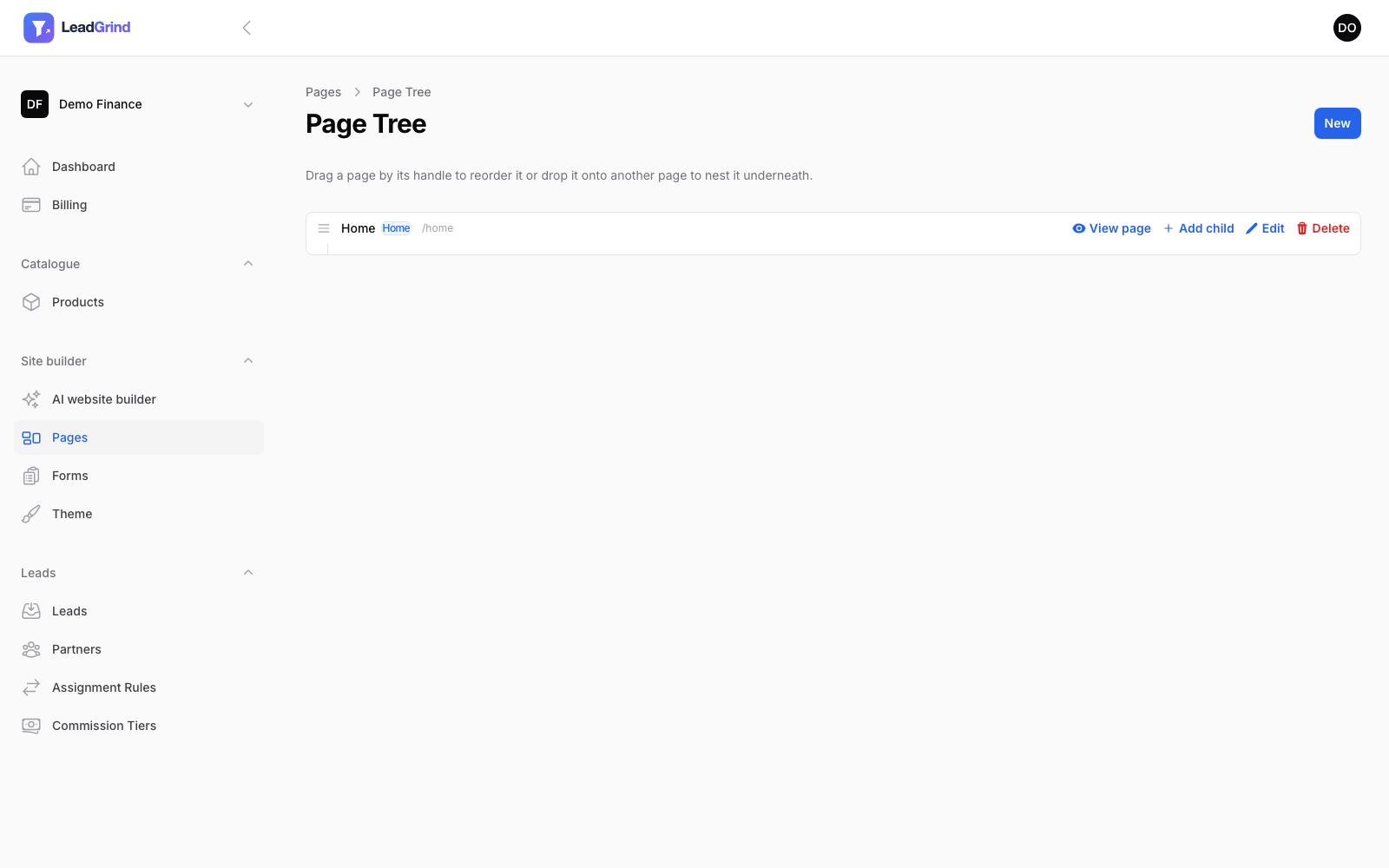
Go to Site builder → Pages to see all your pages. Pages can be nested (useful for, say, a product-specific landing page under your homepage) — drag a page onto another to nest it, or drag to reorder. Each row shows whether a page is a Draft or your site's Home page, and gives you quick links to View page, Add child, Edit or Delete.
Editing a page
Open a page and you'll see the editor on the left and a live preview on the right that updates as you type — no need to save and reload to see how a change looks.
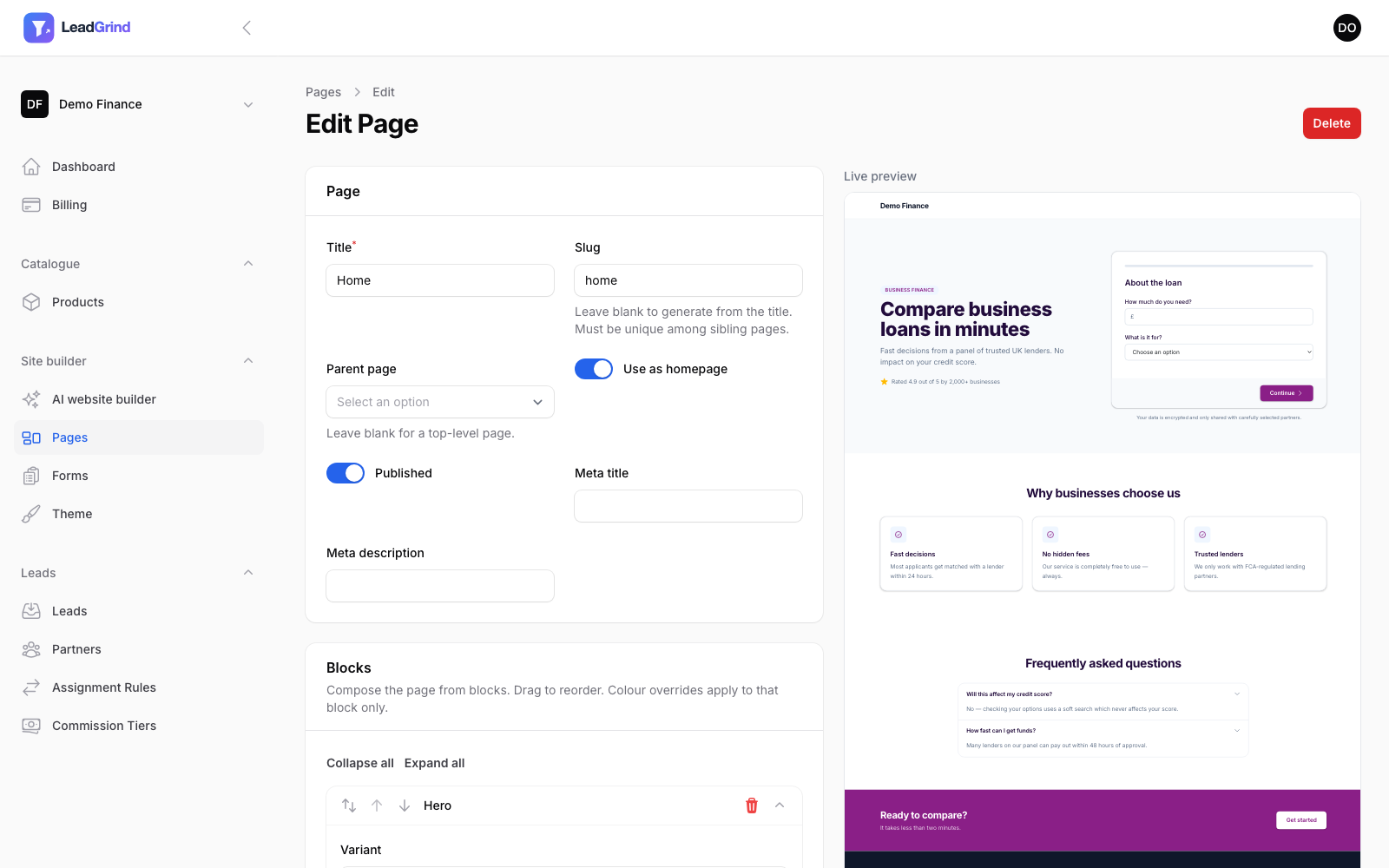
At the top: Title, Slug (leave blank to auto-generate from the title), Parent page, Use as homepage, Published, and meta title/description for SEO.
Blocks
Pages are composed from blocks, added and reordered in the Blocks panel. Available blocks:
| Block | What it's for |
|---|---|
| Hero | The top-of-page banner — heading, subheading, and either a form embed or a button, depending on variant |
| Features | A grid or row of USPs, each with a title and short description |
| Form embed | Drop a specific form into the page as its own section |
| Testimonials | A grid or single-quote layout for social proof |
| FAQ | An accordion of questions and answers |
| Call to action | A banner or centered block with a heading and a button |
| Rich text | Free-form content for anything the other blocks don't cover |
Each block has a Variant dropdown that changes its layout, and its own set of fields. Drag blocks by their handle to reorder them, or use the up/down arrows. Click a block's header to collapse it, or use Collapse all / Expand all at the top of the panel.
Individual blocks can also override your theme colours just for that one block — useful for, say, a call-to-action banner that should stand out from the rest of the page.
Publishing
A page only appears on your public site once Published is switched on — draft pages (including ones created by the AI website builder) are only visible to you in the editor. One page can be marked Use as homepage; visiting your site's root URL shows that page, and any other published page is reachable at its own slug.