
Your free subdomain
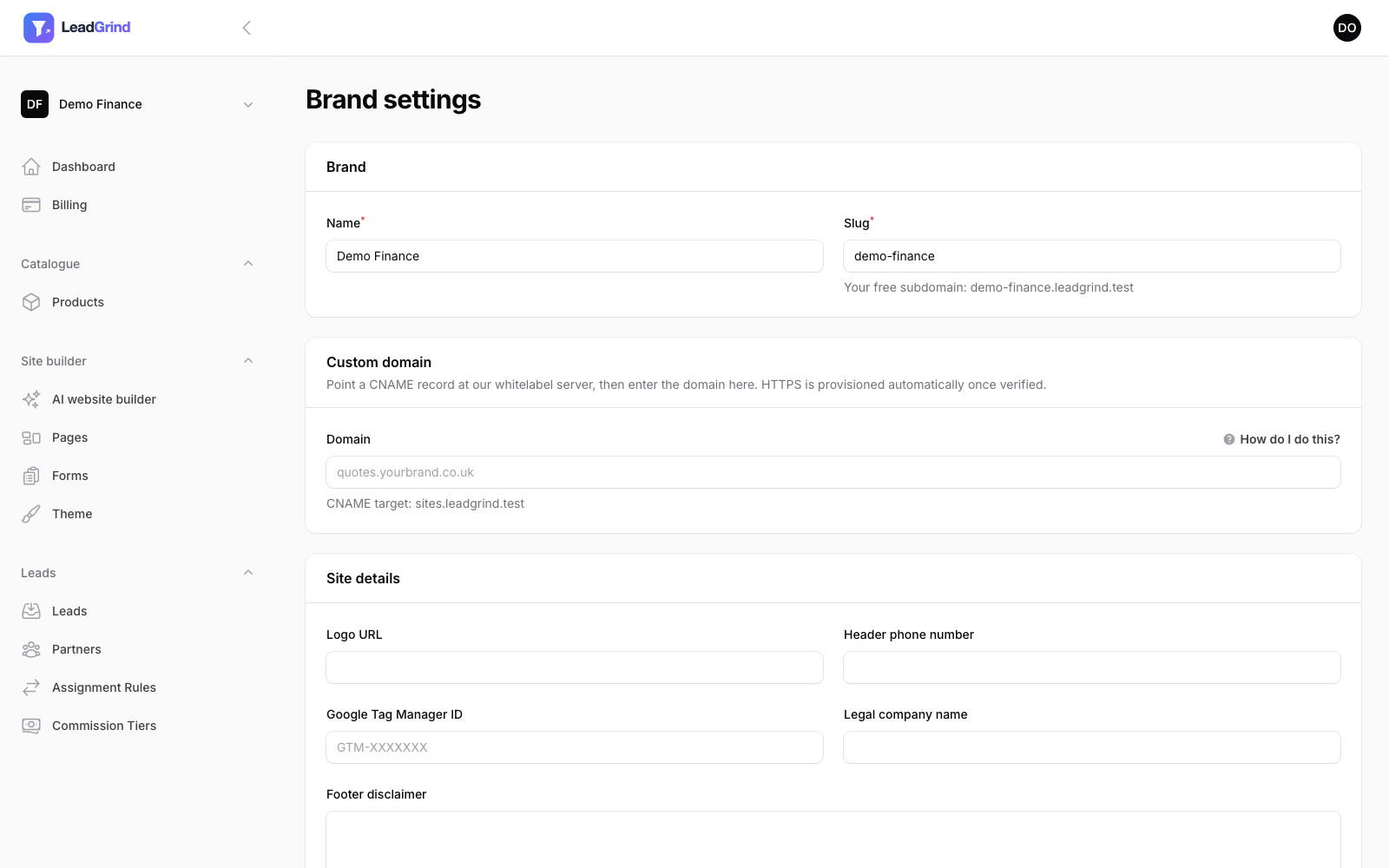
The moment you create your Brand, your site is live at {your-slug}.leadgrind.co.uk — no setup
needed. You can find and change your slug under Brand settings (click your brand name at the top
of the sidebar, then Brand settings).
Connecting your own domain
If you'd rather use your own domain (e.g. quotes.yourbrand.co.uk), open Brand settings and enter
it in the Domain field under Custom domain. Before it'll work, you need to point it at us:
- Go to your domain's DNS settings (with your registrar, e.g. GoDaddy, Cloudflare, 123-reg).
- Add a CNAME record for the exact domain/subdomain you entered, pointing at the CNAME target shown on the Brand settings page (under the Domain field).
- Save, and wait for DNS to propagate — this can take anywhere from a few minutes to a few hours.
Click How do I do this? on the Brand settings page for a walkthrough with your exact values filled in if you're not sure where to add DNS records.
What happens after you save
Once the CNAME is in place, we automatically detect it, verify it, and issue an HTTPS certificate for your domain — there's nothing further to configure. Your site will then be reachable at your own domain, HTTPS included, with no separate steps needed on your end.
A couple of things worth knowing:
- Your domain won't start working immediately after you save it — it only goes live once we can see the CNAME record and verify it, which depends on your DNS provider's propagation time.
- If you change the domain later, verification resets and needs to happen again for the new domain.
- Your free subdomain (
{your-slug}.leadgrind.co.uk) keeps working even after you connect a custom domain, unless you specifically choose to use only the custom one.