
Watch the walkthrough
A 3-minute, start-to-finish walkthrough — signing up, building a page, and setting up a partner. The steps below cover the same ground in more detail.
Sign up
Go to /app/register and create your account with your business name, email, and a password. This
creates your Brand — the account that owns your pages, forms, leads and partners. You'll land on
a 14-day free trial (or, if you were sent a promotional invite, whatever trial period was offered to
you directly) — no card required to start exploring.
Find your way around
Everything happens in the Brand portal at /app/{your-brand}. The left-hand sidebar is organised
into a few groups:
- Catalogue — Products, if you sell more than one thing and want to scope forms/routing/commission per product.
- Site builder — the AI website builder, Pages, Forms, and Theme.
- Leads — Leads, Partners, Assignment Rules, Commission Tiers.
- Billing — your subscription.
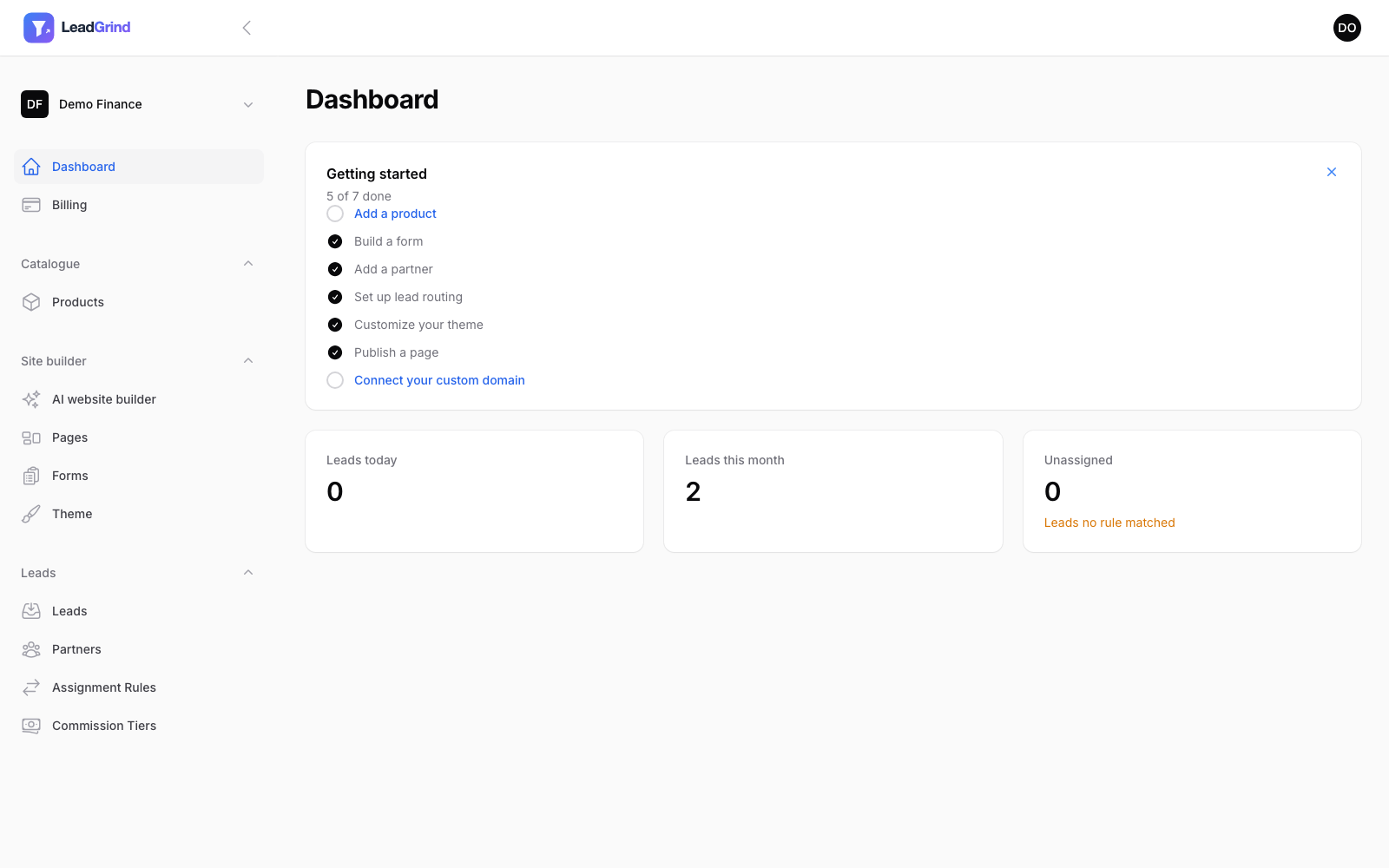
Work through the onboarding checklist
The dashboard shows a checklist of the things most brands need to do before their site is genuinely ready for visitors:
- Add a product — optional, only needed if you sell more than one thing.
- Build a form — see Building a lead capture form.
- Add a partner — see Routing leads to partners.
- Set up lead routing — an assignment rule connecting a form to a partner.
- Customize your theme — see Customizing your theme.
- Publish a page — see Building pages with the block builder.
- Connect your custom domain — optional, see Connecting your domain.
Each item links straight to where you complete it, and ticks itself off automatically as you go. You can dismiss the checklist at any time with the × in the top corner — it won't come back once dismissed.
If you'd rather skip straight to a working site, try the AI website builder next — it drafts a themed page and a matching form for you in one go, which you then review and edit.